When a server hangs at boot, or a kernel update leaves it without networking, remote access over SSH is no longer any use. Datacentres solved this problem long ago with out-of-band management: a small independent computer built into the motherboard that stays reachable even when the operating system does not respond or the machine is switched off. In a homelab with server-class hardware it is one of the most useful features, and at the same time one of the most sensitive from a security standpoint.
The BMC: a computer inside the computer
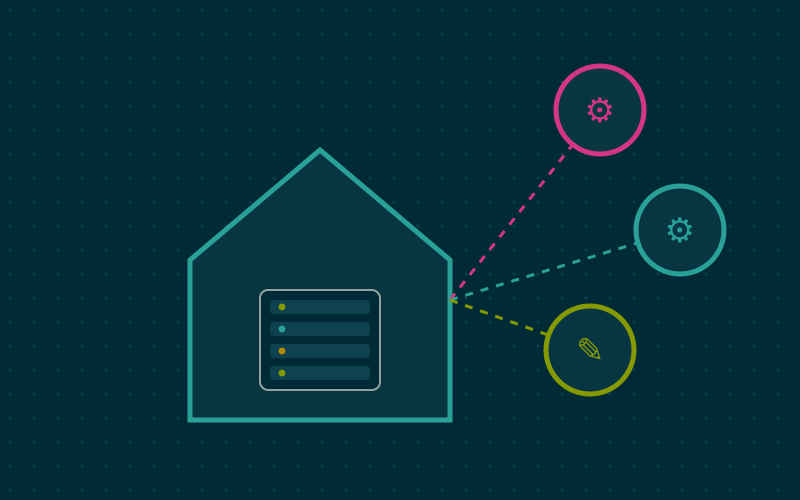
The heart of out-of-band management is the BMC (Baseboard Management Controller). It is a microcontroller with its own firmware, its own memory and, usually, its own dedicated network port. It stays powered as long as the machine is plugged in, even when it is off.
The BMC can:
- power the server on, off and reset it remotely;
- read temperature, voltage and fan speed sensors;
- log hardware events such as memory errors or power failures;
- show the video console and forward keyboard and mouse;
- mount an ISO image as if it were an optical drive attached to the machine.
The last feature is especially handy: you can install an operating system from scratch without ever physically touching the server.
Standards and brand names
IPMI
IPMI (Intelligent Platform Management Interface) is the long-standing standard, supported by many vendors. It is often used through the ipmitool command-line tool. For example, to read the power state or the sensors:
ipmitool -I lanplus -H 192.168.10.20 -U admin chassis power status
ipmitool -I lanplus -H 192.168.10.20 -U admin sdr list
IPMI is widespread but old, and some versions have known weaknesses in their authentication mechanism. For this reason it should never be exposed to untrusted networks.
Redfish
Redfish is the more modern standard, based on a REST interface over HTTPS with data in JSON. It is easier to integrate into scripts and automation tools, and recent BMCs support it alongside IPMI.
Vendor names
Each major vendor has its own implementation under a brand name: iDRAC for Dell, iLO for HPE, XClarity Controller for Lenovo, while many server motherboards from other brands use a generic BMC with a web interface. The basic functions are similar; the interface, licensing and details differ.
Licences and paid features
On some platforms the full remote console, the one that shows the screen even after the operating system has booted, requires an advanced licence. On a used server, check which licence level is installed, because it makes a big difference in day-to-day use. Power control and sensor readings, on the other hand, are almost always available.
What if I do not have a server?
Mini PCs and desktop computers usually have no BMC. There are alternatives:
- Intel AMT, found on some business computers with the vPro platform, offers remote power control and, in some cases, a remote console.
- External KVM over IP devices: small boxes that connect to the computer's video output and a USB port, capture the image and emulate keyboard and mouse. There are also open source projects based on boards such as the Raspberry Pi.
- Smart plugs to physically cut and restore power, combined with the firmware setting that powers the computer back on when power returns.
None of these is as complete as a built-in BMC, but together they cover most situations.
Security first
A BMC has total control over the machine: it can reboot it, mount a boot disk and see the console. Whoever compromises it effectively owns the server. Moreover, BMC firmware has had serious vulnerabilities over the years, and on used hardware it may not be up to date.
The basic rules:
- separate network: connect the management port to a dedicated network or VLAN, unreachable from the guest network or from the Internet;
- never on the public Internet: for access from outside, go through a VPN into the home network;
- credentials changed: on used hardware, default credentials or those of the previous owner must be replaced immediately;
- firmware updated: when possible, update the BMC firmware before putting it into service;
- unneeded services disabled: if you do not need IPMI over the network, turn it off and use only the web interface or Redfish.
Practical use in a homelab
With the BMC configured, some tasks become trivial. You can shut the server down at night and power it back on with a command in the morning. You can reinstall the hypervisor by mounting the ISO remotely. You can feed temperatures and fan speeds into a monitoring system, to notice a clogged filter or a failing fan early.
In my work I find that the BMC event log is often the first place to look when a machine reboots for no apparent reason: correctable memory errors or voltage drops leave traces there before anywhere else.
In short
- The BMC is an independent controller that manages the server even when the operating system does not respond.
- IPMI is the long-standing standard, Redfish the modern REST-based one; iDRAC and iLO are commercial implementations.
- The full remote console may require a licence: check it on used hardware.
- Without a BMC you can use Intel AMT, external KVM over IP devices or smart plugs.
- The management port belongs on a separate network, never exposed to the Internet, with updated firmware and credentials.