Normally a virtual machine sees only emulated devices: a virtual network card, a virtual disk controller, a very basic graphics adapter. For many uses that is enough, but in some cases you need direct access to real hardware: a graphics card for transcoding or computation, a disk controller for a storage system, a high-performance network card. This is where PCIe passthrough comes in.
The basic idea
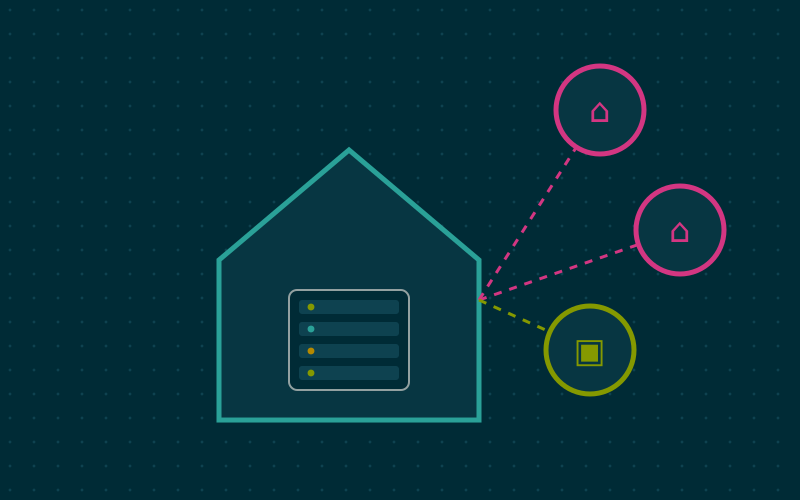
With passthrough, a physical PCIe device is detached from the host and handed exclusively to a virtual machine. The guest sees it as if it were fitted to a real motherboard, loads its own drivers and uses it with near-native performance.
The problem to solve is memory. PCIe devices read and write RAM directly through DMA (Direct Memory Access). If a device assigned to a virtual machine could write anywhere, it could corrupt the memory of the host or of other machines. So you need a component that translates and restricts those accesses: the IOMMU.
The IOMMU
The IOMMU is to devices what the memory management unit is to processes: it translates the addresses used by the device into physical addresses and blocks unauthorised access. On Intel platforms it is called VT-d, on AMD AMD-Vi.
Requirements:
- a processor with IOMMU support;
- a motherboard and firmware that expose it correctly;
- the option enabled in the BIOS or UEFI;
- support enabled in the host kernel.
On many recent distributions the AMD IOMMU is on by default, while on Intel you may need to add intel_iommu=on to the kernel boot parameters. iommu=pt is often added too, which applies translation only to devices assigned to virtual machines.
IOMMU groups
The concept that most often stops people trying passthrough is IOMMU groups. Hardware cannot always isolate every device from the others: some devices sitting behind the same PCIe bridge can talk to each other without going through the IOMMU. The kernel groups them, and a group can only be assigned as a whole.
To see the groups on Linux you can use a small script:
for g in /sys/kernel/iommu_groups/*; do
  echo "Group ${g##*/}:"
  for d in $g/devices/*; do lspci -nns ${d##*/}; done
done
If the graphics card sits alone in its group, or together only with its own audio function, passthrough is simple. If it shares the group with the host's USB or network controller, problems multiply. Workstation and server platforms tend to have cleaner groups than consumer motherboards, and the chosen slot matters too: slots wired directly to the processor are usually better isolated than those going through the chipset.
There is a kernel patch called ACS override that forces groups apart. It works, but it does so by ignoring isolation the hardware does not guarantee: it weakens security and suits only labs where that risk is knowingly accepted.
VFIO: detaching the device from the host
The driver that lets you hand a device to a virtual machine is called vfio-pci. For it to work, the device must not already be claimed by a host driver. The typical procedure:
- find the device identifiers with
lspci -nn(for example10de:xxxx); - tell the vfio-pci module to claim those identifiers at boot;
- if needed, stop the host's normal driver from loading first;
- regenerate the initramfs and reboot;
- check with
lspci -kthat the driver in use isvfio-pci.
At that point you add the device to the virtual machine's configuration, preferably with the q35 machine type and UEFI firmware.
Typical use cases
A disk controller for a storage system
Assigning a SATA or SAS controller (often called an HBA) to a virtual machine that handles storage lets the guest see the disks directly, with access to SMART data and no intermediate layers. It is the recommended approach when virtualising a NAS system that uses ZFS.
A graphics card
A dedicated GPU in passthrough serves for transcoding, computation or accelerated virtual desktops. Some cards need special care, such as extracting the video firmware, or the reset problem: certain GPUs do not reinitialise properly when the virtual machine restarts and require rebooting the entire host.
A network card
A network card passed through to a virtual firewall delivers full performance. Some cards support SR-IOV, which splits a single physical device into several virtual functions that can be assigned to different machines.
Limits to accept
- The device is exclusive: the host and other virtual machines cannot use it.
- Live migration of the virtual machine to another node is not possible.
- Snapshots including memory may not work.
- If you assign the only graphics card, the host is left without a local console: remote management becomes essential.
In short
- Passthrough hands a real PCIe device to a virtual machine with near-native performance.
- It requires the IOMMU (VT-d or AMD-Vi), enabled in firmware and kernel.
- IOMMU groups are assigned as a whole: well-isolated platforms and slots make everything simpler.
- The vfio-pci driver must claim the device before the host's normal driver.
- The device becomes exclusive and the virtual machine loses live migration.