A virtual machine needs a network card, and that card has to be connected to something. In the hypervisor that «something» is a virtual switch, almost always a Linux bridge. Understanding how it works lets you put VMs on the right network, separate services into VLANs and use several physical cards without surprises.
The bridge: a switch inside the host
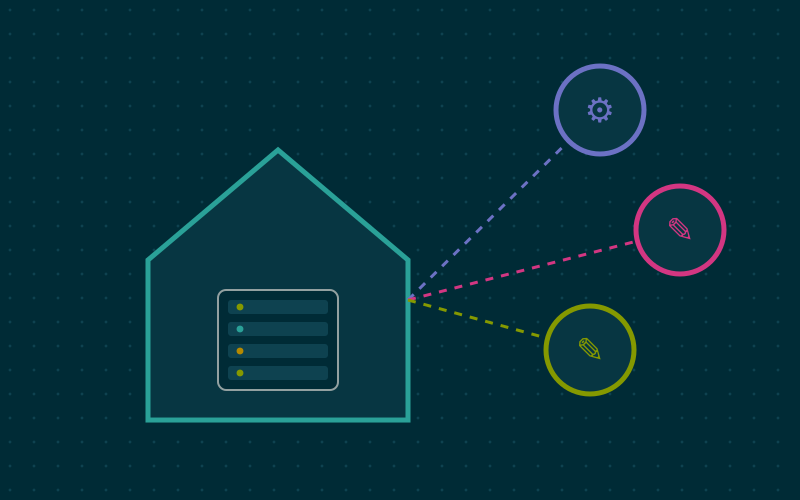
A Linux bridge behaves like a network switch. Connected to it are:
- one or more of the host's physical interfaces, acting as uplinks to the real network;
- the virtual interfaces of virtual machines and containers.
VMs connected to the same bridge can see each other and reach the physical network as if they were computers plugged into the home switch. They get addresses from the router's DHCP, and the router sees them by their MAC address.
In Proxmox VE the installer creates a bridge called vmbr0, connected to the main network card, and assigns the host's IP address to that bridge. On Debian the configuration lives in /etc/network/interfaces:
auto vmbr0
iface vmbr0 inet static
    address 192.168.1.10/24
    gateway 192.168.1.1
    bridge-ports enp1s0
    bridge-stp off
    bridge-fd 0
The IP address sits on the bridge, not on the physical card: a detail that often confuses people editing the configuration by hand.
VLANs: several networks on one cable
VLANs let you divide one physical network into several logical networks, for example one for management, one for services, one for home automation devices. Each VLAN's traffic travels with a label, the 802.1Q tag.
To bring them to the hypervisor, the switch port it connects to must be configured as a trunk: it carries several tagged VLANs and possibly one untagged VLAN, called the native VLAN.
VLAN-aware bridge
The simplest way in Proxmox is to make the bridge VLAN-aware. You enable an option on the bridge, and from then on each virtual network card can be given a VLAN tag. The VM knows nothing about VLANs: it receives normal traffic, while the bridge adds and removes the tags.
auto vmbr0
iface vmbr0 inet manual
    bridge-ports enp1s0
    bridge-stp off
    bridge-fd 0
    bridge-vlan-aware yes
    bridge-vids 2-4094
The host's management address can sit on a dedicated VLAN interface, such as vmbr0.10, so the host is reachable only from the administration network.
Common VLAN mistakes
- Switch port not configured as a trunk: tagged VMs cannot communicate.
- Different native VLAN between switch and host: untagged traffic ends up on the wrong network.
- Router firewall not allowing traffic between VLANs when needed, or allowing it when it should not.
- Losing access to the host by changing the network remotely: have an out-of-band console, or apply changes with a mechanism that rolls back unless confirmed.
Bonding: several physical cards together
If the host has two or more network cards, you can combine them into a bond and use the bond as the bridge port. The main modes:
| Mode | What it does | Needs the switch |
|---|---|---|
| active-backup | one card active, the other on standby | no |
| balance-alb | adaptive load balancing | no |
| 802.3ad (LACP) | aggregation negotiated with the switch | yes, LACP support |
active-backup is the simplest choice for fault tolerance: if a cable or port fails, traffic moves to the other card. LACP spreads traffic across several links, but a single connection still uses only one card: two 1 gigabit links do not give a 2 gigabit transfer for a single file.
Internal and isolated networks
A bridge does not have to have a physical port. A bridge with no uplink creates an internal network: connected VMs talk to each other but not to the outside. This is useful for:
- a test lab isolated from the home network;
- the link between an application and its database, which must not be reachable by others;
- a VM running a virtual router or firewall, acting as the only crossing point between the internal network and the external bridge.
Open vSwitch and SDN
Open vSwitch is a more advanced virtual switch, with features such as traffic mirroring and tunnelling protocols. Proxmox supports it, and also offers an SDN feature that manages zones and VLANs from the interface, useful mainly in clusters. In my work, for a homelab with one or two nodes, the VLAN-aware Linux bridge remains the simplest and most robust solution: Open vSwitch makes sense when you need features the bridge does not provide.
In short
- A Linux bridge is a virtual switch linking VMs and physical cards; the host's IP sits on the bridge.
- A VLAN-aware bridge lets you assign a VLAN tag to each virtual card.
- The switch port facing the host must be a trunk with a consistent native VLAN.
- active-backup bonding gives fault tolerance without switch configuration; LACP needs switch support.
- Bridges with no uplink create isolated internal networks for labs and internal services.