Updates are the moment a stable homelab becomes unstable. Putting them off forever is worse, though: vulnerabilities pile up and, when you finally update, the jump between versions is so large that problems multiply. You need a method that makes updates frequent, predictable and reversible.
The layers to update
A homelab has several layers, each with its own rhythm:
| Layer | Examples | Indicative frequency |
|---|---|---|
| Firmware | BIOS, BMC, disk and network card firmware | when a relevant fix is released |
| Hypervisor | Proxmox VE, XCP-ng | regular minor updates, planned major versions |
| VM operating systems | Debian, Ubuntu, other distributions | weekly or automatic for security |
| Containers and applications | Docker images, services | depending on the service's importance |
| Network devices | routers, switches, access points | when a security fix is released |
Treating them separately avoids changing too much at once: if something stops working, you know where to look.
Before updating
Read the release notes
For major versions this is the most important step. Release notes list incompatible changes, removed components and migration procedures. Proxmox, for example, publishes an upgrade guide for each major version with a pre-check script that flags known problems before you start.
Have a way back
- VM snapshots before updating their system or applications: returning to the previous state takes seconds.
- A recent, verified backup for whatever cannot be snapshotted, such as the host itself.
- The previous container image version: pinning the version tag in the Compose file lets you roll back by changing one line.
- A saved configuration of network devices before a firmware update.
Do not leave snapshots around for weeks: they take up growing space and, on some storage types, slow the disk down. Delete them once the update is confirmed.
Order matters
A sequence that works well:
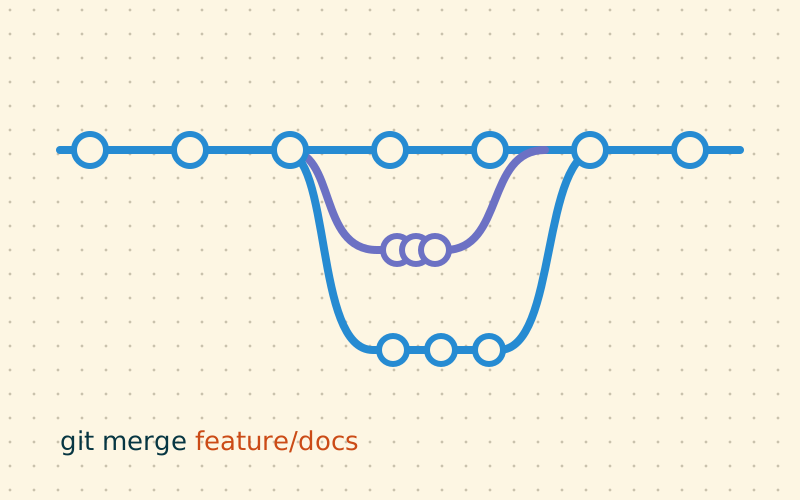
- less important services first: a problematic update shows up on a test or rarely used VM;
- then the main services, one at a time, checking each;
- the hypervisor last, when everything else is stable;
- firmware separately, at a dedicated time, because it needs reboots and sometimes resets settings.
In a cluster, update one node at a time: move the VMs to another node, update, reboot, check, move on to the next. Keep an eye on quorum throughout.
A maintenance window, even at home
Updating the home server the evening before an important video call is an unnecessary risk. Pick a fixed time with room to fix things: a Saturday morning, for example. If other people at home use the services, warning them avoids surprises.
In my work I keep a short checklist for each session:
- backups and snapshots done;
- release notes read for everything changing major version;
- emergency access available, such as out-of-band console or a monitor and keyboard;
- update and reboot;
- check the services;
- delete the snapshots and note the work in the change log.
Checking after the update
«The command finished without errors» does not mean «it works». The minimum checks:
- services respond, checked by the monitoring system or by hand;
- logs show no new errors after the reboot;
- scheduled jobs, such as backups and scrubs, start at their next run;
- remote access, for example via VPN, still works.
Many problems only surface at the next reboot: a new kernel that fails to load a module, a network card that changes name. Reboot straight after the update, while you are there, rather than finding out at the next power cut.
Automate with judgement
Security updates for VM operating systems can be automated with tools such as unattended-upgrades on Debian and Ubuntu: the risk is low and the benefit high. For automatic container image updates, on the other hand, the rule is to distinguish:
- stateless or easily recreated services: automatic updates are acceptable;
- services with databases or important data: manual updates, with snapshots and reading the notes.
The hypervisor and firmware should not be updated automatically: they need reboots and attention.
When something goes wrong
- do not keep trying random commands: you risk making things worse;
- return to the snapshot or the previous version;
- read the logs to understand the cause;
- check the release notes and the project's official forums to see whether the problem is known;
- try again only once you understand what happened.
In short
- Updating often and in small steps is safer than putting it off.
- Read release notes and take snapshots and backups before every major version.
- Recommended order: secondary services, main services, hypervisor, firmware separately.
- After updating, reboot and check services, logs, jobs and remote access.
- Automate system security updates, not version jumps for applications holding data.