Once a homelab grows beyond one machine, checking CPU, disks and temperatures by hand stops working. You need a system that collects the numbers continuously, stores them and shows them in graphs. The most widespread combination in the open source world is Prometheus to collect and store metrics and Grafana to visualise them.
How Prometheus works
Prometheus uses a pull model: the server periodically queries services, which expose metrics in a text format on an HTTP address, usually the /metrics path. Each query is called a scrape, and the typical interval is between 15 and 60 seconds.
Data is stored in a time series database. Each series has a name and labels, for example:
node_filesystem_avail_bytes{instance="nas:9100", mountpoint="/mnt/data"}
Labels are what make the system powerful: they let you filter and aggregate by machine, disk or service with the PromQL query language.
Exporters
Programs that translate a system's state into Prometheus metrics are called exporters. The most useful in a homelab:
- node_exporter: CPU, memory, disks, network and temperatures of a Linux machine; by convention it listens on port 9100;
- Proxmox exporters: expose the state of nodes, virtual machines and storage through the hypervisor's API;
- smartctl_exporter: SMART data from disks;
- blackbox_exporter: checks from the outside that a service responds over HTTP, TCP, DNS or ping;
- cAdvisor: resource usage of individual containers.
Many modern applications already expose metrics in Prometheus format without needing a separate exporter.
A minimal configuration
The prometheus.yml file lists the targets to scrape:
scrape_configs:
  - job_name: nodes
    static_configs:
      - targets: ["pve1:9100", "nas:9100", "router-vm:9100"]
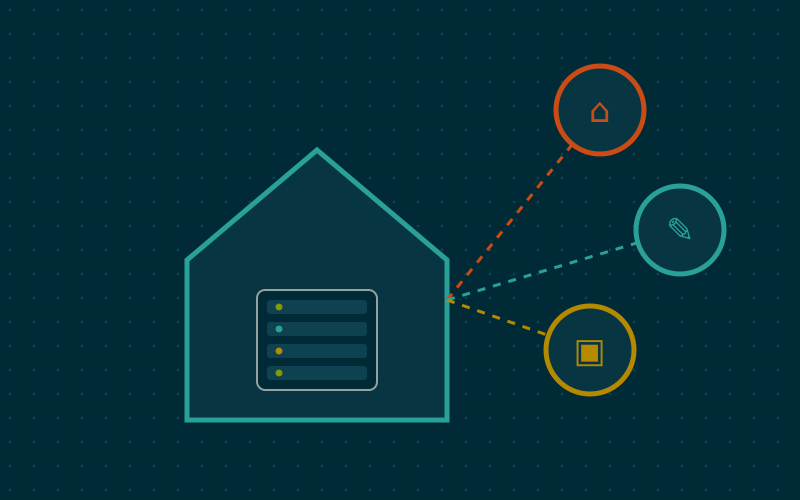
Prometheus, Grafana and the exporters can run in containers. It makes sense to install them in a virtual machine or container dedicated to monitoring, separate from the services it watches. If monitoring lives on the same machine that fails, it cannot warn you about the failure.
Grafana: from numbers to graphs
Grafana connects to Prometheus as a data source and builds dashboards with graphs, gauges and tables. Ready-made dashboards exist for node_exporter and many other exporters, importable by an identifier: they are a good starting point to adapt.
In my work I find a main dashboard with a few essential panels useful:
- CPU and memory usage for each host;
- free space on each file system, with a line marking the critical threshold;
- temperatures of CPUs and disks;
- network traffic on the main interfaces;
- service status checked by blackbox_exporter, green or red.
Everything else goes in detail dashboards, consulted only when you need to investigate.
Alerts: the part that really matters
A graph nobody looks at is useless. Prometheus evaluates alerting rules written in PromQL and forwards them to Alertmanager, which groups notifications, removes duplicates and sends them by email, chat or push notification services.
Examples of sensible rules:
- free space below 10% on a file system for more than 15 minutes;
- a target unreachable for more than 5 minutes;
- a disk with a growing count of reallocated sectors;
- a disk temperature above the manufacturer's stated limit.
The for clause in a rule says how long the condition must persist before the alert fires: it avoids notifications for momentary spikes. A few reliable alerts are worth more than dozens of warnings you learn to ignore.
Retention and space
By default Prometheus keeps data for a limited period, configurable with the --storage.tsdb.retention.time option or by space used. In a homelab with a dozen machines and 30-second intervals, several months of history take up modest space. For retention measured in years there are systems such as VictoriaMetrics or Thanos, but they are rarely needed at home.
Two tips:
- do not create labels whose values are always different, such as request IDs or client IP addresses: they multiply the number of series and memory usage;
- keep the scrape interval consistent, so graphs and rules stay coherent.
Simpler alternatives
If the goal is only to know whether services are reachable, tools such as Uptime Kuma are enough and take minutes to set up. For complete monitoring with auto-discovery, Netdata offers detailed graphs with almost no configuration. Prometheus and Grafana need more initial work, but give the most control and teach skills also used in professional environments.
In short
- Prometheus scrapes exporters and stores labelled time series; Grafana visualises them.
- node_exporter, blackbox_exporter and a hypervisor exporter cover almost everything.
- Host monitoring separately from the services it watches.
- Alerts through Alertmanager, few and with a minimum duration, are the real value.
- Labels with few distinct values keep the system light.